 WOWOW Faucets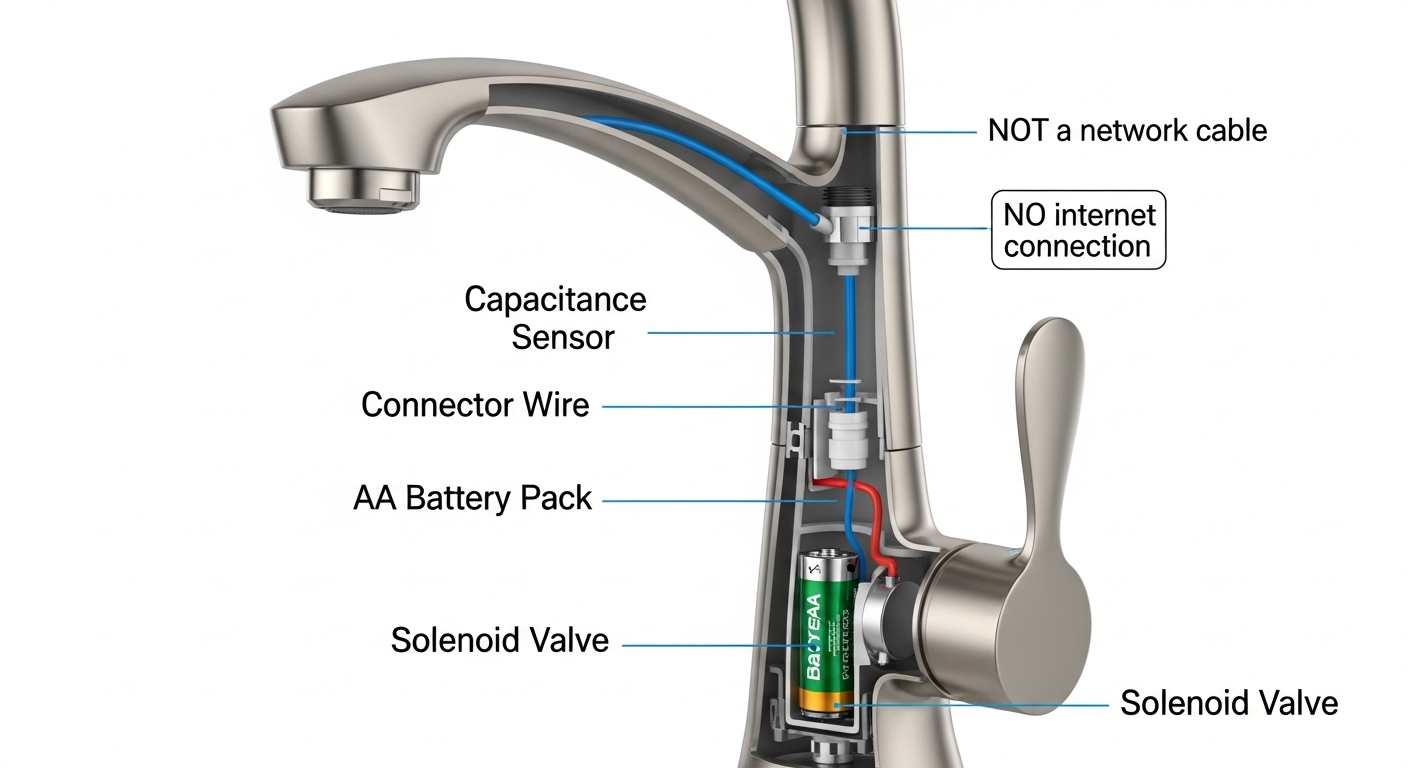
If you searched for a delta touch faucet ethernet setup, you almost certainly ran into a common mix-up: people assume a “smart” touch-activated faucet must connect to the internet like a smart speaker or thermostat. It doesn’t. Delta’s Touch2O and VoiceIQ technology are two very different things, and only one of them talks to your network — never through Ethernet. Below, a faucet specialist breaks down exactly how these faucets are powered and wired, what the “ethernet” confusion really comes from, whether you should buy one, and the touch-faucet alternatives worth comparing before you spend $300+.
Why do people think a Delta touch faucet needs an ethernet connection?
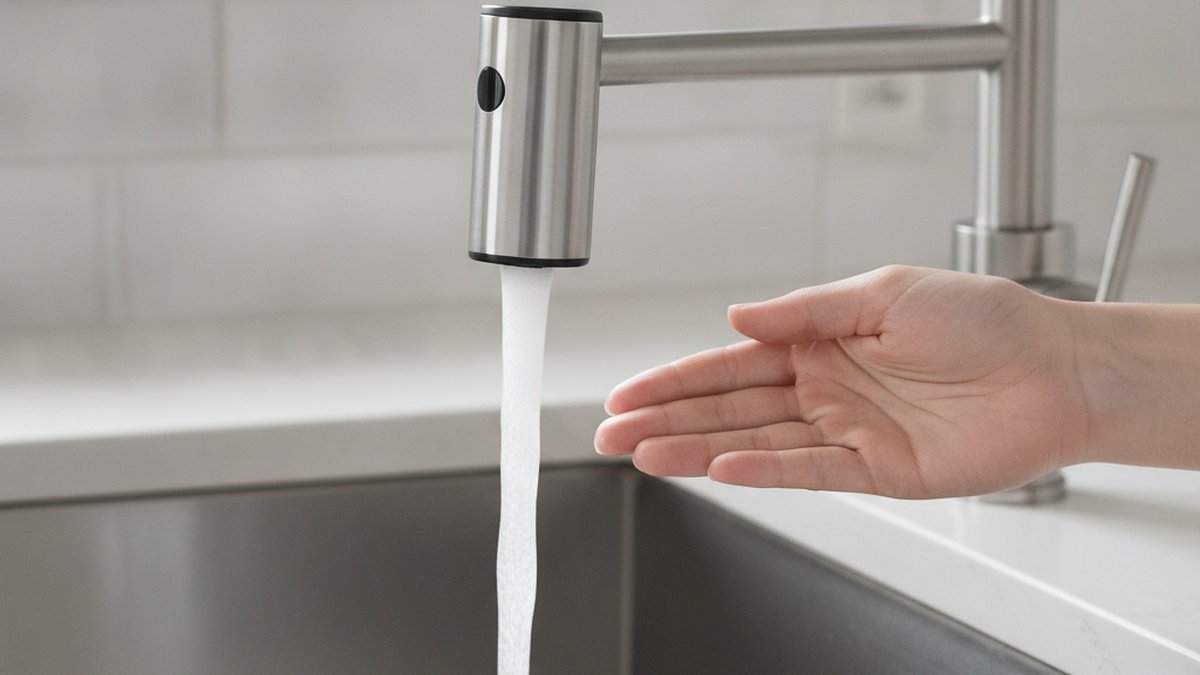
They confuse “touch-activated” with “internet-connected,” and they mix up Delta’s two separate technologies. A Touch2O faucet is triggered by touching the spout or handle — that’s a purely electrical sensor, not a network. Ethernet never enters the picture.
Here’s where the confusion snowballs. Delta sells a second, higher-end feature called VoiceIQ, which pairs the faucet with an Amazon Alexa or Google Assistant smart-home hub so you can say “dispense two cups of water.” VoiceIQ needs the faucet’s control box connected to a smart speaker — but that connection is wireless (Wi-Fi/Bluetooth through the hub), not a wired Ethernet run. So when shoppers see “smart faucet” and “connects to Alexa,” some picture an RJ45 network jack under the sink. It isn’t there. No Delta residential faucet — Touch2O or VoiceIQ — has an Ethernet port.
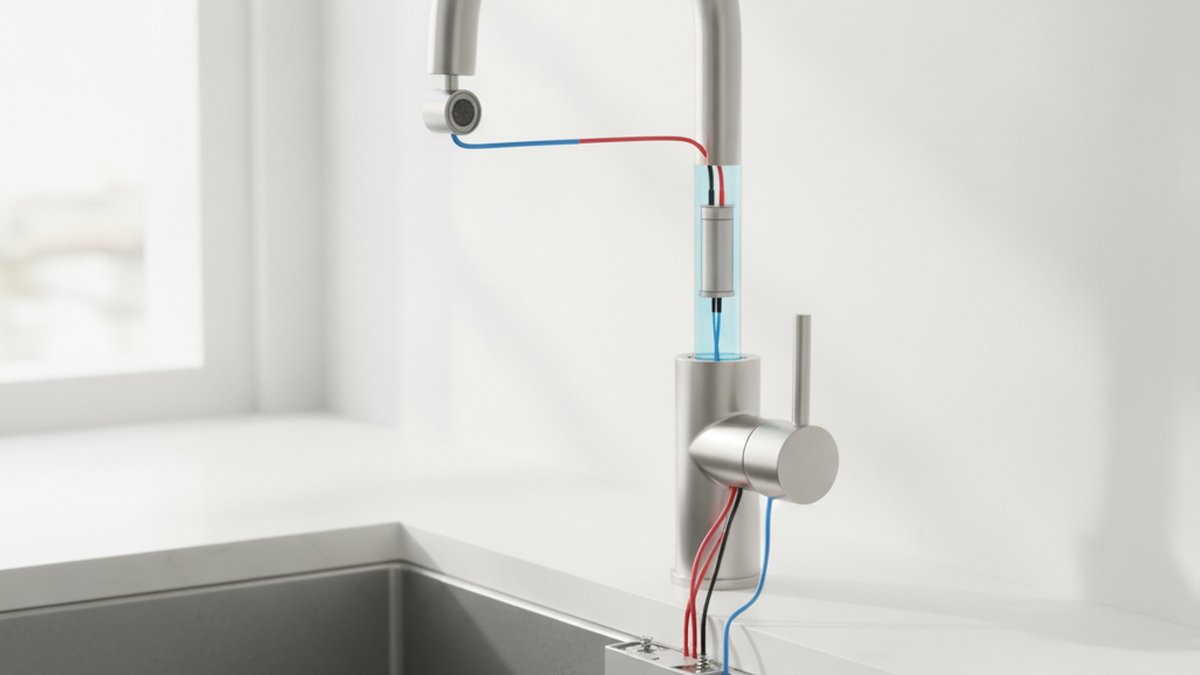
The other source of the myth is the wiring itself. When you open a Touch2O box you find a black control module, a battery pack, and a solenoid, all joined by slim connector cables. To someone who has only ever seen power cords and network cables, those low-voltage leads can look like data cables. They’re not — they carry a tiny signal between the sensor, the battery pack, and the valve.
How is a Delta Touch2O faucet actually powered and wired?
It runs on 6 AA batteries housed in a small battery box that mounts under the sink, or on an optional Delta AC power adapter that plugs into a standard 120V outlet. That’s the entire “electrical” story — low voltage, no network, no hard-wiring into your home’s mains.
Mechanically, a Touch2O faucet works like this: the metal body of the spout and handle acts as a capacitance sensor. When your hand (or wrist, or forearm) touches it, the sensor detects the change in electrical capacitance and signals a battery-powered solenoid valve to open or close the water flow. The manual handle still controls temperature and volume exactly like an ordinary faucet — touch is just an extra on/off layer on top.
A few specifics worth knowing before you install:
- Battery life: Delta rates the 6-AA pack at roughly 1–2 years of normal household use. When batteries get low, an LED near the base blinks to warn you before it quits.
- AC adapter option: If you hate changing batteries, Delta sells a plug-in adapter. You still need a nearby outlet under the sink — most modern kitchens have one for the disposal.
- No neutral, no network: There is no line-voltage hard-wiring and absolutely no Ethernet, coax, or phone jack involved. If an electrician tells you a touch faucet needs a data drop, they’re mistaken.
- Grounding: The system is low-voltage and safe around water by design; it’s tested to run on batteries specifically so there’s no shock risk at the spout.
So the honest answer to “how do I connect the ethernet on my Delta touch faucet” is: you don’t, because it was never designed to. If your goal is simply hands-free water while cooking, batteries or the AC adapter are all you’ll ever touch.
Is a Delta touch faucet worth it, or is touch just a gimmick?
For most busy kitchens, it’s genuinely useful — not a gimmick — but only if the touch sensor is reliable and you understand its quirks. The real value is turning water on with the back of your wrist when your hands are covered in raw chicken, flour, or soap. That’s a legitimate hygiene and convenience win.
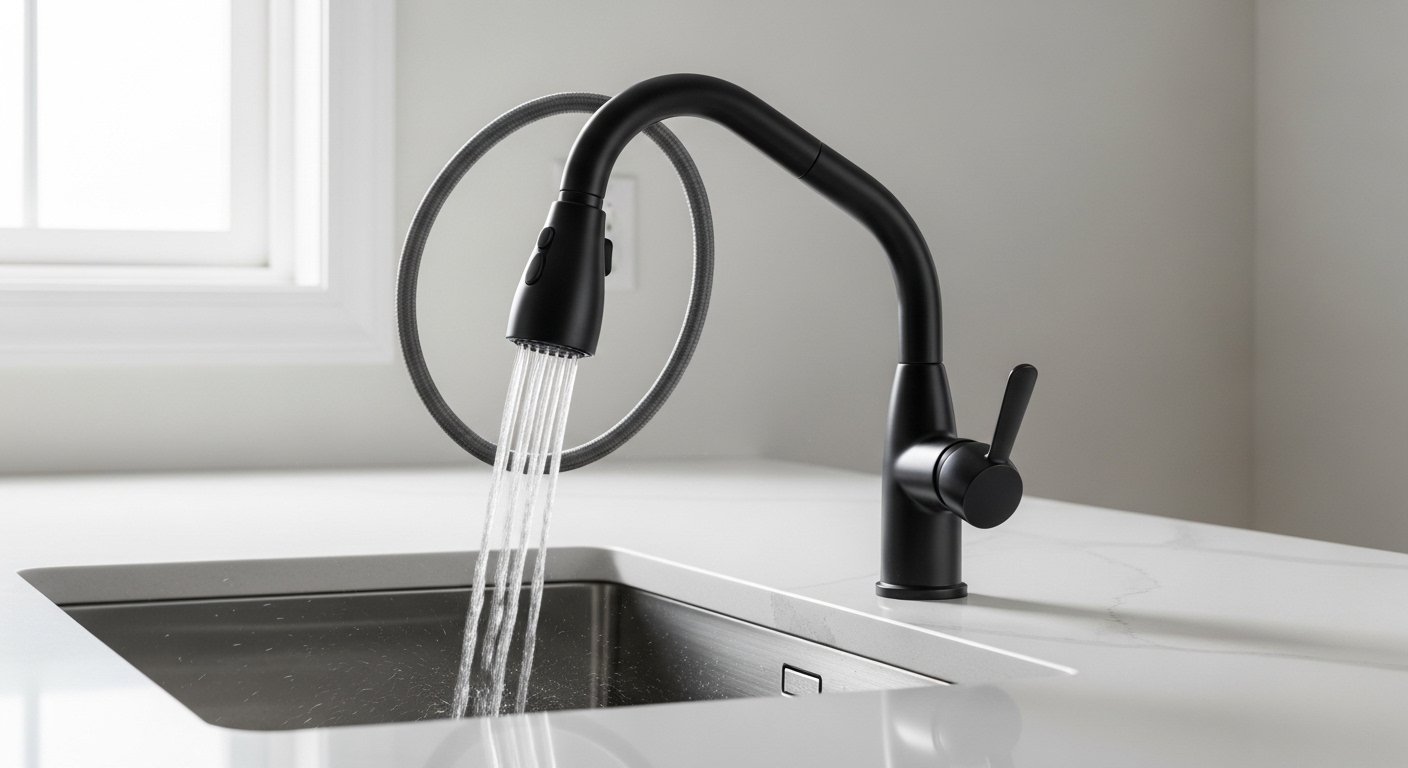
Where people get frustrated is with false triggers and calibration. Touch2O can occasionally turn on if a metal pot leans against the spout, and in homes with certain grounding conditions the sensor can behave erratically. Delta addresses a lot of this with firmware and installation guidance, but it’s the honest trade-off of any capacitance faucet. If reliability matters more to you than touch, a good brushed nickel kitchen faucet with a pull-out spray gives you 90% of the daily convenience with zero electronics to fail.
Quick gut-check on whether touch is right for you:
- Buy touch if: you cook often with messy ingredients, you have kids constantly washing hands, or accessibility (arthritis, limited grip) makes twisting a handle hard.
- Skip touch if: you want the simplest possible plumbing, you’re on a tight budget, or you dislike the idea of any batteries in your faucet.
Delta Touch2O vs. VoiceIQ vs. a standard pull-down: which one do you actually need?
Pick Touch2O if you just want hands-free on/off, VoiceIQ if you specifically want measured, voice-commanded water, and a standard pull-down if you want maximum reliability and the lowest price. None of them use Ethernet. Here’s the side-by-side.
| Feature | Standard Pull-Down | Delta Touch2O | Delta VoiceIQ |
|---|---|---|---|
| Activation | Handle only | Touch + handle | Touch + handle + voice |
| Power source | None | 6 AA batteries or AC adapter | 6 AA batteries or AC adapter |
| Network connection | None | None | Wireless via Alexa/Google hub (never Ethernet) |
| Ethernet port | No | No | No |
| Measured dispensing | No | No | Yes (“dispense 1 cup”) |
| Typical price | $80–$200 | $250–$400 | $450–$650 |
| Best for | Reliability & value | Everyday hands-free convenience | Tech-forward, hands-free measuring |
Notice the pattern: adding “smart” features adds cost and a small amount of complexity, but at no point does the water supply or the electronics ever require a wired network. If you were budgeting for a network cable or a special outlet, redirect that money toward a better finish or a longer warranty instead. For a broader shortlist beyond Delta, our roundup of the highest rated kitchen faucets of 2026 compares touch, pull-down, and pull-out models across brands and price points.
How do you install a touch faucet without any network wiring?
You install it exactly like a normal pull-down faucet, then add three low-voltage connections under the sink: sensor wire, battery box, and solenoid — no drilling for cables, no router, no Ethernet. Most confident DIYers finish in 45–90 minutes.
- Shut off the water at the under-sink stops and open the old faucet to release pressure.
- Remove the old faucet and clean the deck. If you’re replacing a leaker, our guide on a dripping single-handle kitchen faucet explains what usually fails so you don’t repeat the problem.
- Drop the new faucet through the mounting hole and secure it from below with the supplied bracket.
- Connect the supply lines to hot and cold stops. Hand-tight plus a quarter turn — don’t over-torque.
- Attach the solenoid inline on the faucet’s outlet, then click in the sensor wire from the faucet body.
- Install the battery pack (or plug in the AC adapter) and mount it where it stays dry.
- Restore water, flush the lines with the aerator removed, then test both handle flow and touch activation.
One install tip specialists swear by: if the touch feature feels weak or triggers randomly, it’s almost always a loose sensor connector or a grounding issue at the supply lines — not a defective faucet. Reseat every connector before you call support. And if your new faucet flows fine on touch but weak overall, the aerator or supply pressure is the culprit; see why you might be getting low water pressure from a sink faucet and how a clogged kitchen sink aerator quietly chokes flow.
What are the real downsides of a Delta touch faucet before you buy?
The three honest drawbacks are battery replacement, occasional false triggers, and higher upfront cost versus a manual faucet — none of which involve networking. Weigh these against the daily convenience.
Battery changes come every 1–2 years, which is minor but real; the AC adapter solves it if you have an outlet. False triggers are uncommon in a well-grounded install but can happen when a metal object rests on the spout. And you’re paying a premium — often $150–$250 more than the same faucet in a manual version — for the touch electronics. If any of those bother you, a quality manual pull-down or a single-hole kitchen sink faucet delivers rock-solid performance for less. The point is to choose based on convenience versus simplicity — never based on a network requirement that doesn’t exist.
FAQ
Does any Delta touch faucet connect to Ethernet or Wi-Fi?
No Delta touch faucet connects to Ethernet, and only the VoiceIQ models connect wirelessly — and even then, through an Amazon Alexa or Google Assistant hub, not a wired network. A standard Touch2O faucet has no network connectivity of any kind. It’s powered by batteries or an AC adapter and controlled entirely by touching the spout or handle.
Do I need an electrician to install a Delta touch faucet?
Usually not. The faucet runs on 6 AA batteries, so there’s no line-voltage wiring involved. If you choose the optional AC adapter and don’t already have an under-sink outlet, you may want an electrician to add one — but that’s a standard receptacle, never a data or Ethernet drop.
How long do the batteries last in a Delta Touch2O faucet?
Delta rates the 6-AA battery pack at roughly one to two years under normal household use. An LED near the base blinks to warn you when the batteries are getting low, so you won’t be caught off guard. If you’d rather never change them, the plug-in AC adapter is a one-time swap.
Can a touch faucet still work if the electronics fail?
Yes. Touch activation is an added layer on top of a normal faucet, so the manual handle still controls temperature and flow even if the batteries die or the sensor stops responding. You lose the hands-free feature, not your water. That built-in fallback is a big reason touch faucets are practical for everyday kitchens.
Is a Delta touch faucet worth the extra money over a manual one?
If you cook frequently with messy hands or need accessible, hands-free operation, the $150–$250 premium is usually worth it. If you prioritize the simplest plumbing and lowest price, a well-built manual pull-down or pull-out faucet gives you nearly all the daily usefulness with zero electronics. Match the choice to your habits, not to marketing.
Author note: This guide was written by the WOWOW Faucet product team, who install, pressure-test, and field customer questions on kitchen and bathroom fixtures every day. We regularly bench-test touch, pull-down, and pull-out faucets for flow rate, sensor reliability, and finish durability. WOWOW builds faucets to meet U.S. plumbing standards (cUPC/NSF-tested valves and lead-free waterways) and backs its kitchen faucets with a limited lifetime warranty on finish and function — so when we tell you a touch faucet doesn’t need Ethernet, it’s from hands-on experience, not a spec sheet. Always confirm your specific model’s power and warranty details in its included manual before installing.
\n
Related Guides
\n
- \n
- What are The Different Types of Bathroom Faucets
- Best White Kitchen Faucets – Buying Guide & Reviews
- The Best Faucet Brands to Consider in 2026
- What is The Standard Size Hole for A Kitchen or Bathroom Faucet
\n
\n
\n
\n
\n