 WOWOW Faucets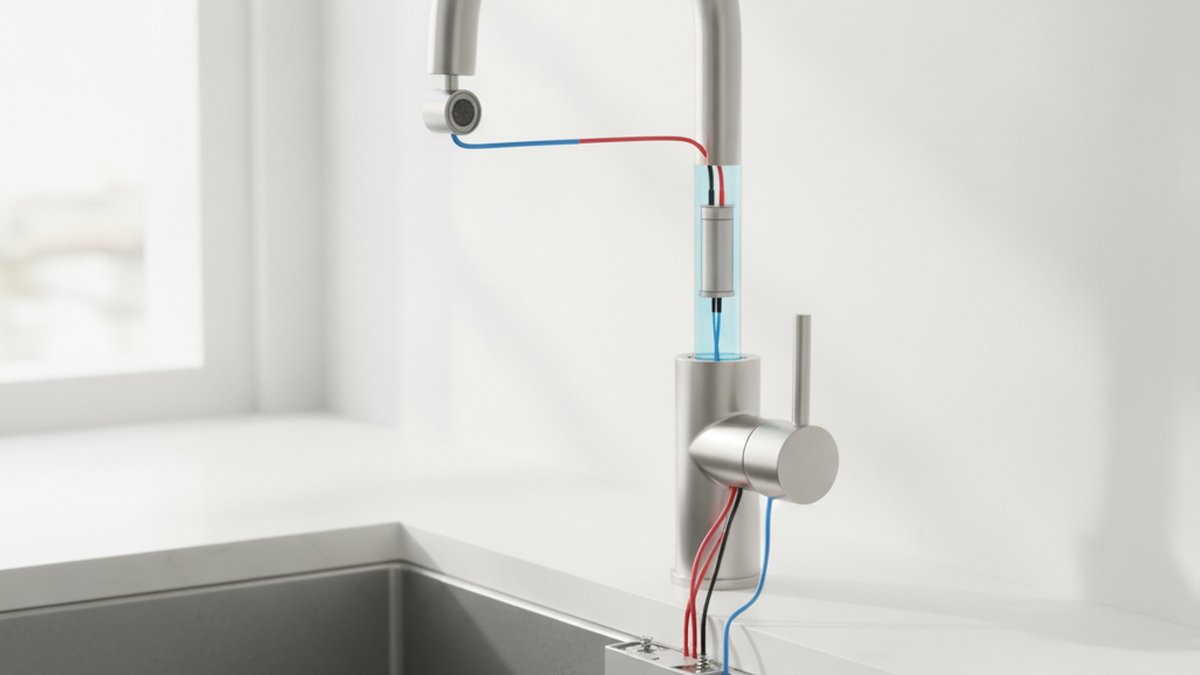
If you’re shopping for a hands-free faucet, the single biggest question you’ll run into is touchless faucet power: how the sensor gets its electricity, how long that supply lasts, and what happens when it dies. It sounds like a small detail, but it decides whether your faucet keeps working during a power outage, how often you’re crawling under the sink, and whether you need an electrician before installation. Get the power source right and a touchless faucet is genuinely one of the best upgrades in a busy kitchen; get it wrong and it becomes a low-grade annoyance you regret twice a year.
Below, we answer the real questions people actually ask before buying — battery vs. plug-in, battery life, outage behavior, and cost — in plain language, with concrete numbers you can act on.
How does a touchless faucet actually get its power?
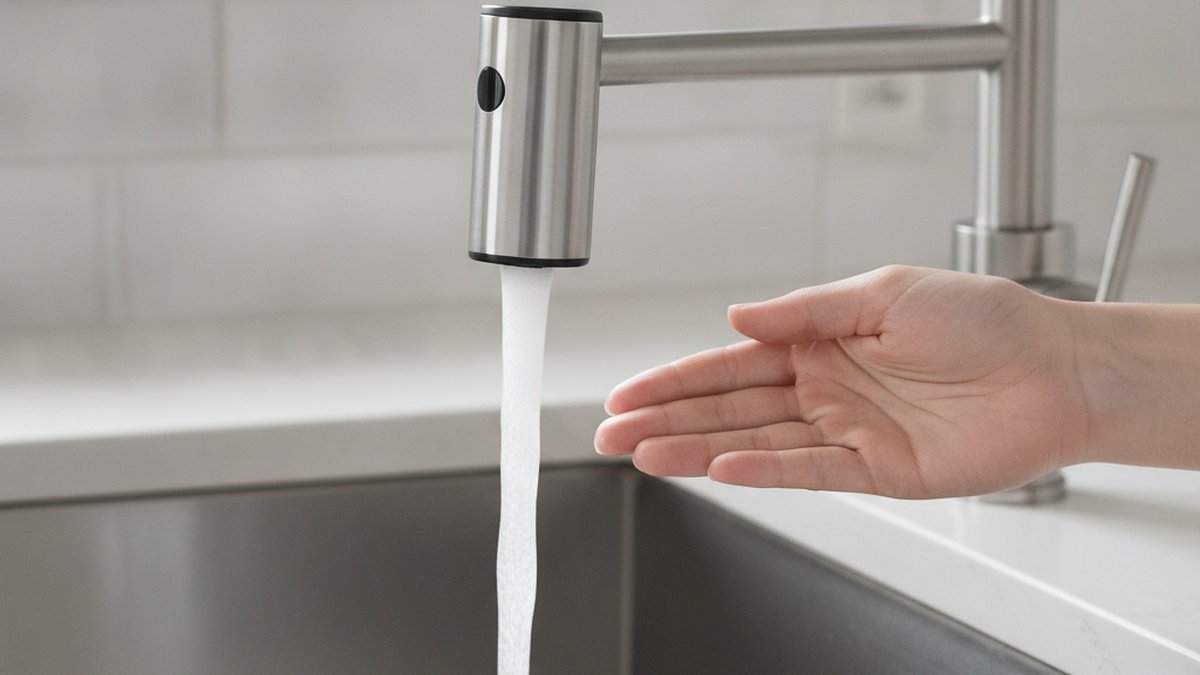
A touchless faucet is powered by a small low-voltage circuit — almost always 6V DC — that runs an infrared sensor and a solenoid valve. When your hand breaks the infrared beam, the sensor tells the solenoid to open, water flows, and it closes again when you pull away. That entire system needs only a trickle of electricity, which is why batteries are even an option.
There are three ways that 6V circuit gets fed:
- Battery pack — usually 4 to 6 AA alkaline batteries in a control box that clips under the sink. This is the most common home setup because it needs zero electrical work.
- AC adapter (plug-in) — a wall wart that plugs into a standard 120V outlet under the sink and steps it down to 6V. Common in commercial restrooms and increasingly offered as an option on premium residential models.
- Hybrid / dual power — the faucet ships ready for both. You run it on the plug day-to-day, and the batteries sit there as an automatic backup if the power goes out.
A handful of high-end faucets also use a rechargeable lithium battery you top up with USB-C, which splits the difference: no outlet needed, no disposable batteries either. It’s still a small slice of the market in 2026, but it’s growing fast.
Battery vs. plug-in: which touchless faucet power source should you choose?
For most homeowners, batteries win — but only slightly, and the right answer depends on whether you have a live outlet under your sink. Battery power is simpler to install and keeps working in a blackout; plug-in power means you never think about batteries again but ties you to an outlet and dies when the grid does. The smartest buy is a faucet that supports both.
Here’s the honest trade-off, side by side:
| Power source | Install effort | Ongoing cost | Works in a power outage? | Best for |
|---|---|---|---|---|
| Battery (4–6 AA) | Easy — no wiring | ~$8–15 in batteries every 1–2 years | Yes | Most kitchens; rentals; no outlet under sink |
| AC plug-in adapter | Easy if outlet exists; needs electrician if not | Pennies per year in electricity | No (unless battery backup) | Homes with an under-sink outlet; heavy daily use |
| Hybrid (AC + battery backup) | Easy — plug in, drop in batteries | Low; batteries rarely used | Yes | Anyone who wants zero downtime |
| USB-C rechargeable | Easy — no wiring | None; recharge every few months | Yes, until charge runs low | Modern kitchens; eco-minded buyers |
One thing people underestimate: check whether you even have a receptacle inside the sink cabinet. Many older homes don’t, and running a new outlet means hiring an electrician — often $150–$300. If that’s your situation, a battery or rechargeable model isn’t a compromise, it’s the obvious choice. If you’re already comparing hands-free options at a lower price point, our guide to whether a touchless tap adapter is worth it is a good companion read, because an adapter lets you add sensor power to a faucet you already own.
How long do touchless faucet batteries actually last?
Expect 1 to 2 years from a set of AA alkaline batteries in a normal household, and up to 3 years in a low-traffic bathroom. Battery life is driven almost entirely by how many times the sensor activates per day, so a family kitchen sink drains batteries faster than a guest bathroom.
A few concrete factors move that number:
- Activations per day — the solenoid draws its biggest current the instant it opens and closes. A busy sink cycling 100+ times a day will hit the low end; a powder room might triple the lifespan.
- Alkaline vs. lithium AA — lithium AA batteries cost more but last noticeably longer and tolerate the cold, damp cabinet environment better. In a garage or unheated utility sink, lithium is worth it.
- Sensor “hover” habits — leaving objects in the beam (a dish drying rack, a hanging towel) causes constant micro-activations that quietly drain the pack. Keep the beam path clear.
- Standby draw — a good faucet sips a tiny standby current to keep the sensor awake. Cheaper units with poorly tuned electronics can waste power here.
The good news: nearly every quality touchless faucet gives you a warning before the batteries fully quit — usually a small LED near the base that blinks red, or the sensor light changing color. You typically get days of notice, not a dead faucet out of nowhere. And when the batteries do die, the manual handle still works; the sensor is an addition to the faucet, not a replacement for the valve.
Does a touchless faucet work when the power goes out?
If it’s battery-powered, yes — a blackout doesn’t touch it, because the batteries under your sink are its power supply. If it’s plug-in only, the sensor stops working during an outage, but you can still use the manual handle to turn water on and off exactly like an ordinary faucet.
This is the detail that trips up buyers who assume “touchless” means “electric faucet that fails without electricity.” It doesn’t. Every reputable touchless faucet has a mechanical handle or lever for temperature and manual control. The sensor and solenoid are a convenience layer on top. So the worst-case scenario in an outage with a plug-in model is simply that your faucet behaves like a normal one until the lights come back.
If uninterrupted hands-free operation matters to you — say, during frequent storms — a hybrid faucet with battery backup is the answer. It runs on the plug, and the instant grid power drops, it seamlessly falls back to the batteries without you doing anything.
How much does touchless faucet power cost to run and maintain?
Almost nothing. A plug-in touchless faucet uses so little electricity that it adds well under a dollar a year to your power bill, and a battery model costs roughly $8–$15 in batteries every year or two. The real cost is upfront, in the faucet itself, not in feeding it.
To put the ongoing numbers in perspective:
| Cost item | Battery model | Plug-in model |
|---|---|---|
| Electricity per year | $0 | Under $1 |
| Replacement power supply | $8–$15 in AA batteries every 1–2 yrs | ~$15–$25 for a replacement adapter (rarely needed) |
| Installation power cost | $0 | $0 if outlet exists; $150–$300 if you must add one |
| Typical solenoid lifespan | Often 5+ years; replaceable part, not the whole faucet | |
The solenoid valve is the one electronic part that can eventually wear out, and on well-built faucets it’s a serviceable module you can replace without swapping the entire fixture. If you’re the kind of shopper who likes to know a faucet is repairable rather than disposable, that’s a spec worth asking about — the same mindset behind understanding what the cartridge on a kitchen faucet does and why serviceable internals extend a faucet’s life.
What should you look for when buying a touchless faucet in 2026?
Prioritize a faucet with dual-power capability, a clear low-battery indicator, an adjustable sensor range, and a solid warranty on the electronics. Those four things separate a faucet you’ll love from one you’ll fight with.
- Dual power (AC + battery). Even if you plan to use batteries, buying a model that can take an adapter later keeps your options open.
- Sensor quality and range. A good sensor activates reliably at 2–4 inches and ignores your body brushing past. Cheap sensors either false-trigger constantly (draining power) or need three tries to notice your hand.
- Manual override. Confirm there’s a real handle for temperature and flow. This is standard on quality faucets but occasionally skimped on bargain imports.
- Low-battery warning. An LED that changes color or blinks means you’ll never be surprised by a dead sensor.
- Finish and build. Spot-resist and brushed finishes hide fingerprints — ironic but true, since touchless still gets touched via the handle. If a spotless look is your priority, the same reasoning applies as when people compare a chrome drinking faucet for clean tap water at the kitchen sink.
- Warranty and certification. Look for lead-free compliance (meeting U.S. safe-drinking-water standards) and a written warranty that specifically covers the sensor and solenoid, not just the finish.
If you’re building out a whole hands-free kitchen or bathroom, it’s also worth browsing our roundup of the best faucet accessories of 2026, since sensor faucets pair naturally with matching soap dispensers and other add-ons that share the same finish and tech.
How do you install and power a touchless faucet yourself?
You can absolutely install a battery-powered touchless faucet yourself in about 45–90 minutes with basic tools — it mounts like any single-hole faucet, plus one extra step of connecting the sensor and battery box. A plug-in version is identical except you plug the adapter into an under-sink outlet instead of loading batteries.
The general sequence:
- Shut off the hot and cold supply valves under the sink and open the old faucet to release pressure.
- Disconnect and remove the old faucet.
- Drop the new faucet through the mounting hole and secure it from below.
- Connect the hot and cold supply lines and the solenoid valve’s inlet/outlet.
- Connect the sensor cable to the control box, then either load the batteries or plug in the AC adapter.
- Turn the water back on, let it run to flush the lines, and calibrate the sensor per the manual (usually an automatic self-set on first power-up).
No electrical wiring is involved for battery or plug-in models — you’re only working with low-voltage connectors that snap together and a standard outlet. If your project also involves swapping the underlying valve or you hit a leak at the connections, our step-by-step guides on faucet replacement and cartridge service walk through those specifics. Just remember: the “power” side of a touchless faucet is genuinely low-risk DIY, which is a big part of its appeal.
FAQ
Do all touchless faucets need electricity to turn on water?
No. The sensor needs low-voltage power (batteries or an adapter) to work hands-free, but every quality touchless faucet also has a manual handle. If the batteries die or the power goes out, you turn the handle just like a normal faucet.
How often will I have to change the batteries?
In a typical kitchen, once every 1–2 years; in a lower-use bathroom, up to 3 years. Using lithium AA batteries instead of alkaline extends that further and performs better in cold or damp cabinets. Most faucets flash a low-battery LED to warn you first.
Can I convert a battery touchless faucet to plug-in later?
Only if the faucet was designed for dual power — check that it has a compatible AC adapter port before buying. Many mid-range and premium models support both, so you can start on batteries and add the plug-in adapter whenever you install an under-sink outlet.
Is a plug-in touchless faucet safe under the sink?
Yes. The adapter steps 120V down to a safe 6V DC before anything reaches the faucet, and the connections under the sink are all low-voltage. Just use a grounded outlet, ideally GFCI-protected, and keep the adapter off the cabinet floor in case of a leak.
What happens to a touchless faucet’s power draw when nobody’s using it?
It sips a tiny standby current to keep the infrared sensor alert, which is why well-tuned electronics matter. A good faucet’s standby draw is negligible; the real power is used in the brief moment the solenoid opens and closes, so total activations per day are what actually determine battery life.
Does hard water affect touchless faucet power or the sensor?
Hard water doesn’t affect the electronics or power supply, but mineral buildup can slowly clog the solenoid valve and aerator, weakening flow over time. Periodic cleaning and a serviceable solenoid keep it running; the sensor itself just needs its lens wiped clean occasionally.
Author note: This guide was written by the WOWOW Faucet product content team, drawing on hands-on installation and bench testing of residential sensor faucets. WOWOW is a dedicated faucet and bathroom-fixture brand; our touchless models are built to meet U.S. lead-free drinking-water standards and are backed by a limited warranty covering the sensor and solenoid, not just the finish. Always follow your specific model’s manual, as power connections and calibration steps vary by product.